

Tire Pressure Light On? An Essential Guide to Checking and Fixing It
Seeing the tire pressure light illuminate on your Chevrolet's dashboard can be concerning, especially when you're getting ready for a drive around Staples, Wadena, or the surrounding Minnesota area. Fortunately, a tire pressure warning doesn't always mean there's a major problem. In many cases, it simply means one or more tires need air.
However, it's important not to ignore the
warning. Driving with incorrect tire pressure can affect handling, tire wear,
fuel economy, and overall driving safety.
At Nyhus Chevrolet, we strive to make
service easy and effortless. Here's what Chevrolet drivers should know about
the tire pressure light, low tire pressure light, how to check tire pressure,
what your tire pressure should be, and how to reset the tire pressure light.
What Does the Tire Pressure Light Mean?
The tire pressure light is part of your
Chevrolet's Tire Pressure Monitoring System (TPMS). This system uses sensors to
monitor the air pressure in your tires and alerts you when the pressure in one
or more tires becomes significantly low.
If the tire pressure light comes on and
stays illuminated, start by checking the pressure in all four tires.
Don't assume that only one tire is causing the warning.
A low tire can result from normal air
loss, changing temperatures, a puncture, a leaking valve stem, or another tire
issue.
What Does a Blinking Tire Pressure Light Mean?
A tire pressure light blinking is
different from a warning light that simply stays illuminated.
If the TPMS warning light blinks for an
extended period before remaining illuminated, it can indicate a problem with
the tire pressure monitoring system itself. The issue may involve a TPMS sensor
or another component of the system.
Adding air may not resolve this type of
warning.
If your tire pressure light continues
blinking, have your Chevrolet inspected by a qualified service technician so
the cause can be properly diagnosed.
Low Tire Pressure Light: What Should You Do?
When the low tire pressure lightappears, don't simply reset the warning and continue driving.
Find a safe place to stop and take a
quick look at your tires. Check for obvious signs of trouble, including:
·
A visibly low or flat
tire
·
Nails, screws, or other
objects in the tread
·
Cuts or cracks
·
Bulges in the sidewall
·
Uneven or unusual tread
wear
If a tire appears severely damaged or
flat, avoid driving on it. Driving on a damaged or significantly underinflated
tire can make the problem worse.
If your tires appear normal, the next
step is to check their air pressure with a tire-pressure gauge.
How to Check Tire Pressure
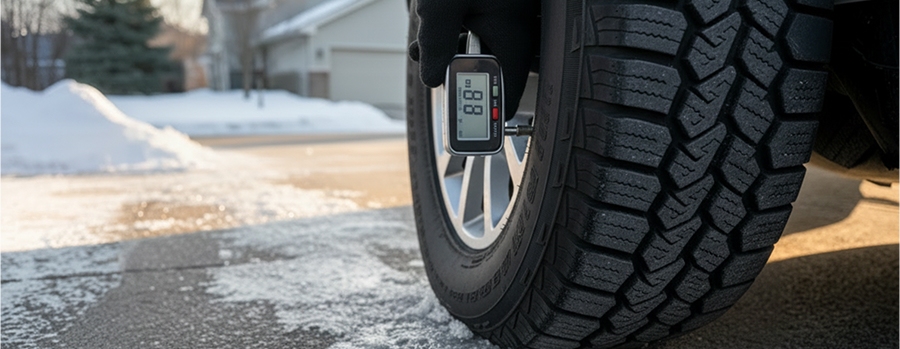
Knowing how to check tire pressureis a useful part of routine vehicle maintenance. You don't need specialized
equipment—just a tire-pressure gauge and access to an air pump.
1. Find the recommended
tire pressure
Look for the Tire Information Label
located inside the driver's-side door frame. Your Chevrolet Owner's Manual can
also provide the recommended tire pressure for your vehicle.
2. Check your tires when
they're cold
For the most accurate reading, check your
tires before driving or after the vehicle has been parked for several hours.
Driving heats up your tires and can
temporarily increase the pressure reading.
3. Remove the valve-stem
cap
Unscrew the cap from the valve stem and
keep it somewhere clean.
4. Use your
tire-pressure gauge
Press the gauge firmly onto the valve
stem. The gauge will show you the current air pressure in PSI.
5. Compare the reading
with the recommended PSI
If the tire is underinflated, add air
until it reaches the recommended pressure.
6. Check all four tires
Don't stop after finding one low tire.
Check all four tires to make sure they're properly inflated.
It's also a good idea to check your tire
pressure regularly, rather than waiting until the warning light appears.
What Should My Tire Pressure Be?
One of the most common questions drivers
ask is, "What should my tire pressure be?"
There isn't one universal PSI number for
every Chevrolet.
The correct tire pressure depends on your
specific Chevrolet model, tire configuration, and vehicle specifications.
You'll find the recommended cold tire pressure on the Tire Information Label
inside the driver's-side door frame.
Don't use the maximum PSI printed on the
tire's sidewall as your target pressure. That number represents the tire's
maximum allowable pressure, not necessarily the pressure recommended for your
Chevrolet.
Temperature can also affect tire
pressure. This is particularly important for drivers in Minnesota, where
seasonal temperature changes can be significant.
How to Reset the Tire Pressure Light
After adding air to your tires, you may
wonder how to reset the tire pressure light.
In many Chevrolet vehicles, you don't
need to manually reset the system after correcting the tire pressure. Once the
tires are properly inflated, driving the vehicle can allow the TPMS to
recognize the corrected pressure and turn the warning light off.
The exact process can vary depending on
your Chevrolet model and model year.
If the light doesn't turn off after
you've corrected the tire pressure, check all four tires again. One tire may
still be below the recommended pressure.
If the warning continues to appear—or if
the light is blinking—your Chevrolet may need a TPMS inspection.
Why Proper Tire Pressure Matters
Keeping your tires at the recommended
pressure isn't just about getting rid of an annoying dashboard light.
Proper tire inflation can help your
Chevrolet:
·
Maintain predictable
handling
·
Achieve more even tire
wear
·
Support better fuel
economy
·
Provide a comfortable
ride
·
Reduce unnecessary stress
on the tires
Driving with underinflated tires can
cause additional heat buildup and accelerate tire wear. Overinflating tires
isn't the answer, either. Excessive pressure can affect ride comfort, traction,
and tread wear.
The best approach is simple: follow the
manufacturer's recommended tire pressure for your specific Chevrolet.
Keep Your Chevrolet's Tire Pressure in Check
A tire pressure warning may seem like a
minor dashboard notification, but it's worth taking seriously. Whether you're
dealing with a tire pressure light, low tire pressure light, or blinking tire
pressure light, knowing what the warning means can help you respond
appropriately.
Check your tire pressure regularly, use
the recommended PSI listed on your Chevrolet's door-frame label, and pay
attention to warnings that keep coming back.
And when you need professional help with tires or TPMS concerns in Staples, Nyhus Chevrolet is here to help keep your Chevrolet ready for the road.